Salary Check UAE Balance Enquiry: How to Check Your Salary
A salary check in the UAE depends on where your employer sends your wages. There is no single public website that can display the balance of every employee in the country.
If your salary is deposited into a normal bank account, check it through your bank’s official mobile app, online banking, or at an ATM. If you receive wages on a WPS salary card such as FAB Ratibi, Al Ansari PayPlus, LuLu Money Salary Card or C3Pay, use the official service provided for that particular card.
The quickest approach is to identify the bank or salary-card provider printed on your card, then use its official balance enquiry channel.
UAE Salary Check Methods
| How you receive salary | Best way to check | What you normally need |
|---|---|---|
| UAE bank account | Bank’s official app or online banking | Login credentials |
| FAB Ratibi salary card | Official prepaid card enquiry portal | Last 4 card digits, Card ID and captcha |
| Al Ansari PayPlus | Al Ansari Exchange app | Registered account/card access |
| LuLu Money Salary Card | LuLu Money app | Registered mobile/account access |
| C3Pay salary card | C3Pay app | Active C3Pay card |
| Other WPS payroll card | Provider app, ATM, branch or support | Depends on issuer |
| Any supported ATM card | ATM balance enquiry | Card and PIN |
A balance enquiry shows the money currently available. If you specifically need to know whether your latest salary has arrived, also check the transaction history, salary credit notification, or statement, where available.
How to Check Your Salary Balance in the UAE
Start by checking the logo and provider name on your salary card. Do not enter the card details into random “UAE salary checker” websites because balances are held by individual banks and payroll providers, not in a universal public database.
1. Check a Salary Paid Into a Bank Account
Employees whose wages are transferred directly to a current or savings account usually have the simplest enquiry process.
Open your bank’s official mobile app or online banking service and:
- Sign in securely.
- Open the account receiving your salary.
- Check the available balance.
- Open recent transactions.
- Look for the incoming salary credit from your employer.
- Check the transaction date and amount.
Looking at the transaction history is more reliable than checking the balance alone. For example, your balance may be lower than your salary because you have already made withdrawals, card purchases or transfers.
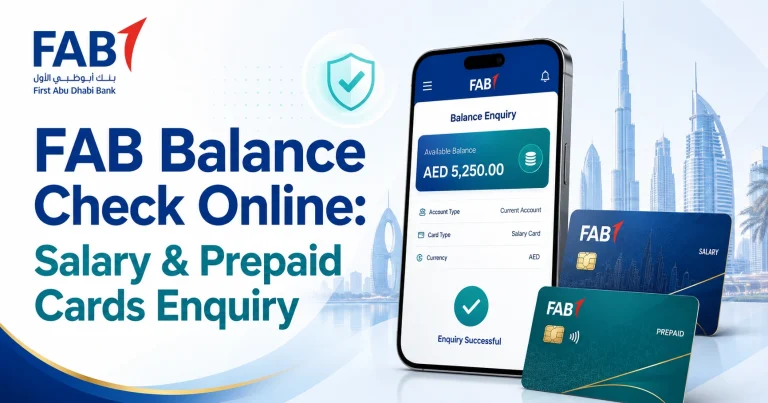
If you are paid through First Abu Dhabi Bank, the fab bank balance check guide explains the available options for regular FAB accounts separately from prepaid salary cards.
FAB Ratibi Salary Check Online
Ratibi is FAB’s prepaid payroll card for eligible employees who receive wages without needing a conventional bank account.
FAB’s official Ratibi page directs existing cardholders to its prepaid-card balance enquiry service. The enquiry itself is hosted on the Magnati prepaid-card system.
How to check a Ratibi salary card balance
- Open the official prepaid card enquiry portal.
- Enter the last four digits of your card number.
- Enter the Card ID requested by the portal.
- Complete the captcha.
- Select Go.
- Review the card information and available balance shown by the service.
Only enter these details on the genuine Magnati domain shown above. A third-party website does not need your complete salary-card details to explain how the service works.
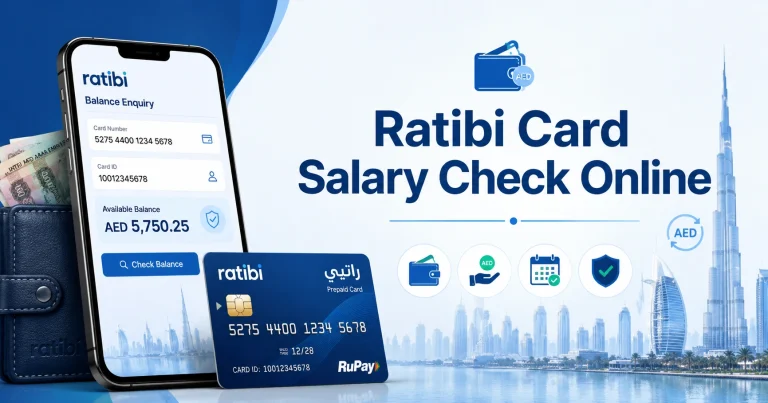
Employees looking specifically for the Ratibi process can use the ratibi card salary check guide for more detail.
Ratibi is different from a normal FAB account
This distinction causes considerable confusion.
A standard FAB account is normally managed through FAB’s banking channels, while Ratibi is a prepaid payroll product with its own balance-enquiry arrangements. Using the wrong process may result in login problems even though there is nothing wrong with the salary card itself.
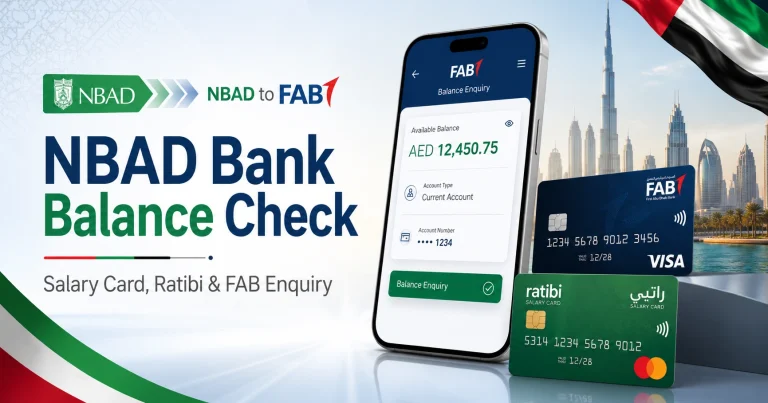
Older searches sometimes still refer to an “NBAD salary card” because National Bank of Abu Dhabi was one of the predecessor banks that formed FAB. For current options and the distinction between old NBAD terminology and present FAB services, see the nbad bank balance check guide.
The prepaid enquiry portal is also relevant to certain cards processed through Magnati. The magnati balance check guide explains when that portal is appropriate.
Al Ansari PayPlus Salary Balance
Al Ansari Exchange operates payroll solutions under the UAE Wages Protection System, including the Visa-powered PayPlus card.
Al Ansari states that PayPlus cardholders can make free balance enquiries through its app, branches and call centre.
Check through the Al Ansari Exchange app
For the most convenient digital option:
- Install or open the official Al Ansari Exchange application.
- Sign in using your registered details.
- Access the prepaid-card or PayPlus card section.
- Select the relevant salary card.
- Review its balance and available card information.
The official app is available through Google Play and the Apple App Store.
Cardholders can also use an Al Ansari Exchange branch or its official support channels when they cannot access the app.
For card-specific instructions, see the al ansari balance check guide.
LuLu Salary Check
LuLu Exchange provides WPS payroll services through its salary-card products. Its current salary solution includes the LuLu Money Salary Card, which can be managed through the LuLu Money app.
LuLu states that its salary-card service lets cardholders manage the card and review transaction history from the application.
Check a LuLu salary card
- Open the official LuLu Money application.
- Sign in with the details linked to your account.
- Open the salary-card or card-management area.
- Select your salary card.
- Check the available balance or transaction history.
The app is available through Google Play and the Apple App Store.
If you receive your wages through LuLu Exchange, the lulu salary check guide covers the card-specific process and alternatives.
C3Pay Salary Card Balance
C3Pay is another payroll-card system used by UAE employees. Edenred confirms that holders of an active C3Pay card can register for the C3Pay mobile application.
The app allows cardholders to check their available balance and transaction history without visiting an ATM.
C3Pay balance enquiry
- Install the official C3Pay application.
- Register or sign in with your eligible C3Pay account.
- Open the account dashboard.
- Check the available balance.
- Review recent transactions if you need to confirm the latest salary credit.
C3Pay is available on Google Play and the Apple App Store.
If registration fails, check that the card is active and that you are using the details associated with the payroll account.
Check Your Salary Balance at an ATM
An ATM remains useful when you cannot access an app or online portal.
The general process is:
- Insert your salary or debit card.
- Enter your PIN.
- Choose Balance Inquiry, Balance Enquiry or a similarly named option.
- Select the relevant account if prompted.
- View the balance on screen or request a receipt.
Using an ATM operated by the card issuer is usually the safest first choice. Charges or restrictions may apply when using another institution’s ATM, depending on the card and provider.
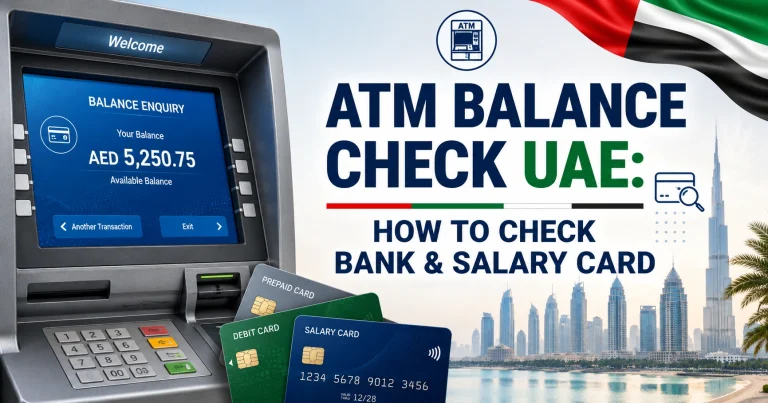
For more detail about ATM-based enquiries, see the atm balance check guide.
How to Know Which UAE Salary Card You Have
Do not guess the provider based on the card colour or a partial card number.
Instead, check:
- The bank or exchange-house logo on the card
- The provider name printed on the front or back
- Salary SMS notifications
- The paperwork supplied with the card
- Messages from your employer or HR department
- The app your employer instructed you to use
If the provider is still unclear, ask your employer’s HR or payroll team. The employer selected the bank, exchange house or payroll service used to distribute your salary and should be able to identify it.
Balance Check vs Salary Credit Check
These are related but not identical enquiries.
A balance check tells you how much money is available now.
A salary credit check confirms whether a particular salary payment reached the account or card.
Suppose your monthly salary is AED 3,000 and the card currently shows AED 1,850. That does not mean your employer paid only AED 1,850. You may have received the full amount and subsequently spent or withdrawn part of it.
When available, review:
- Transaction history
- Salary-credit SMS notifications
- Account statements
- Incoming transfer details
- Credit date and amount
This provides a clearer answer than the current balance alone.
What Is WPS and How Does It Relate to Your Salary?
The UAE Wages Protection System, commonly called WPS, is an electronic framework used to monitor wage payments.
According to the UAE Government, salaries covered by WPS are transferred through banks, exchange houses and financial institutions authorised to provide the service. The system enables the Ministry of Human Resources and Emiratisation to monitor whether covered private-sector wages are being paid as required.
This does not mean employees log into a public WPS website to see their personal card balance.
WPS monitors wage payment compliance. Your actual available balance is normally checked through the financial institution receiving your money.
What to Do If Your Salary Is Not Showing
A zero or unchanged balance does not automatically mean the card has failed.
Work through the problem in this order.
Check the transaction history
First establish whether a salary credit has actually appeared. Looking only at the available balance can be misleading if transactions occurred after payday.
Ask your employer or payroll department
Confirm whether payroll was submitted for you.
Ask HR to check:
- Whether your salary was included
- The amount submitted
- The salary period
- Whether your employee details were correct
- Whether the payment was rejected or returned
This is particularly useful if colleagues have been paid but your salary has not appeared.
Contact the salary-card provider
If your employer confirms that the payment was successfully processed but your card still does not show the funds, contact the bank or payroll provider using the number on the card or its official website.
The provider can investigate card activation, account status or a payment that has not been reflected correctly.
Consider a MOHRE salary complaint where appropriate
A balance enquiry and a wage complaint are different processes.
If the issue is not merely a card problem and your employer has failed to pay wages, eligible private-sector employees can use MOHRE’s My Salary Complaint service.
MOHRE describes this as a confidential complaint relating to an establishment’s failure to pay wages on time. Eligibility and the complaint process depend on the worker’s circumstances, so review the current conditions shown on the official service page before submitting anything.
UAE Salary Payment Rules in 2026
The UAE Government’s current information on private-sector wage payments refers to Ministerial Resolution No. 340 of 2026 concerning the Wages Protection System.
Covered establishments must pay wages through the applicable WPS framework, while the precise obligations and any exclusions depend on the employment and establishment category.
For the latest rules, use the UAE Government’s official salary and wage payment guidance rather than relying on old articles quoting superseded WPS resolutions.
If your concern is a delayed salary rather than simply checking the balance on a card, this distinction matters. Your financial institution can help with the card or account, while an employer-payment dispute may need to be addressed through HR and, where applicable, MOHRE.
Common Salary Balance Enquiry Problems
The portal rejects my card details
Check that you are using the enquiry service designed for your specific card. A Ratibi or supported prepaid card may use a different portal from a normal bank account.
Also check that you have entered the requested digits and Card ID correctly.
My salary card works at an ATM but not in a banking app
A payroll card is not necessarily a conventional bank account.
Some prepaid salary cards have a dedicated app or web portal and cannot be managed in exactly the same way as the issuing bank’s standard current or savings accounts.
The balance is lower than my salary
Review recent purchases, ATM withdrawals, transfers and other deductions before assuming there was a salary-payment problem.
Your account or card transaction history is the best place to confirm the original credit.
My salary has been credited but I cannot withdraw it
Check the card status, ATM compatibility, withdrawal limits and available balance. If multiple ATMs reject the card, contact the provider rather than repeatedly attempting withdrawals.
My employer says the salary was processed, but it is not on my card
Ask the employer for confirmation that your individual salary record was successfully processed rather than simply confirming that the company’s payroll file was submitted.
If they confirm your payment was completed, contact the card issuer with the relevant salary period and payment date.
Keep Your Salary Card Details Safe
A salary balance enquiry can involve financial information, so use only services you can identify as belonging to your bank, exchange house or card provider.
Before entering card information:
- Check the website domain carefully.
- Avoid salary-check links received in suspicious messages.
- Never send your PIN through WhatsApp, email or social media.
- Do not give an OTP to someone claiming they need it to check your salary.
- Do not enter full card or identity details into an informational website.
- Use official apps downloaded from Google Play or the Apple App Store.
- Contact the provider using information printed on the card when uncertain.
A website explaining salary-check methods does not need access to your card balance.
Frequently Asked Questions
Is there an official UAE website where I can check any salary-card balance?
No. There is no universal public balance checker for every UAE salary card. Check your balance through the bank, exchange house or payroll provider that issued the card or receives your wages.
How can I check whether my UAE salary has been credited?
Open your bank or salary-card provider’s official service and review the balance and recent transactions. A transaction showing an incoming salary payment is more useful than the available balance alone when confirming whether your employer paid you.
Can I check my salary using my Emirates ID?
An Emirates ID may be used as part of registration or identity verification by some financial services, but there is no general Emirates ID salary-balance website. Do not enter your Emirates ID into an unofficial site promising to reveal your salary.
How do I check my Ratibi salary balance online?
Use the prepaid-card balance enquiry linked from FAB’s official Ratibi service. The current enquiry page is hosted on Magnati and asks for the last four digits of the card number, Card ID and captcha.
Can I check an Al Ansari PayPlus balance online?
Al Ansari Exchange states that PayPlus balance enquiries are available through its official app, branches and call centre. The app can also be used to manage supported prepaid cards.
Can I check a salary-card balance at an ATM?
Yes, many UAE salary cards support ATM balance enquiries. Insert the card, enter the PIN and select the balance-enquiry option. Available ATM networks and possible charges depend on the provider.
What should I do if my UAE salary has not been paid?
First ask your employer or payroll department whether your individual salary payment was successfully processed. If the issue is an unpaid wage rather than a card problem, eligible private-sector workers can review MOHRE’s official complaint service.
Is WPS the same as my salary-card balance system?
No. WPS is the UAE wage-payment monitoring framework. The balance on your salary card or bank account is checked through the financial institution that holds or processes the funds.