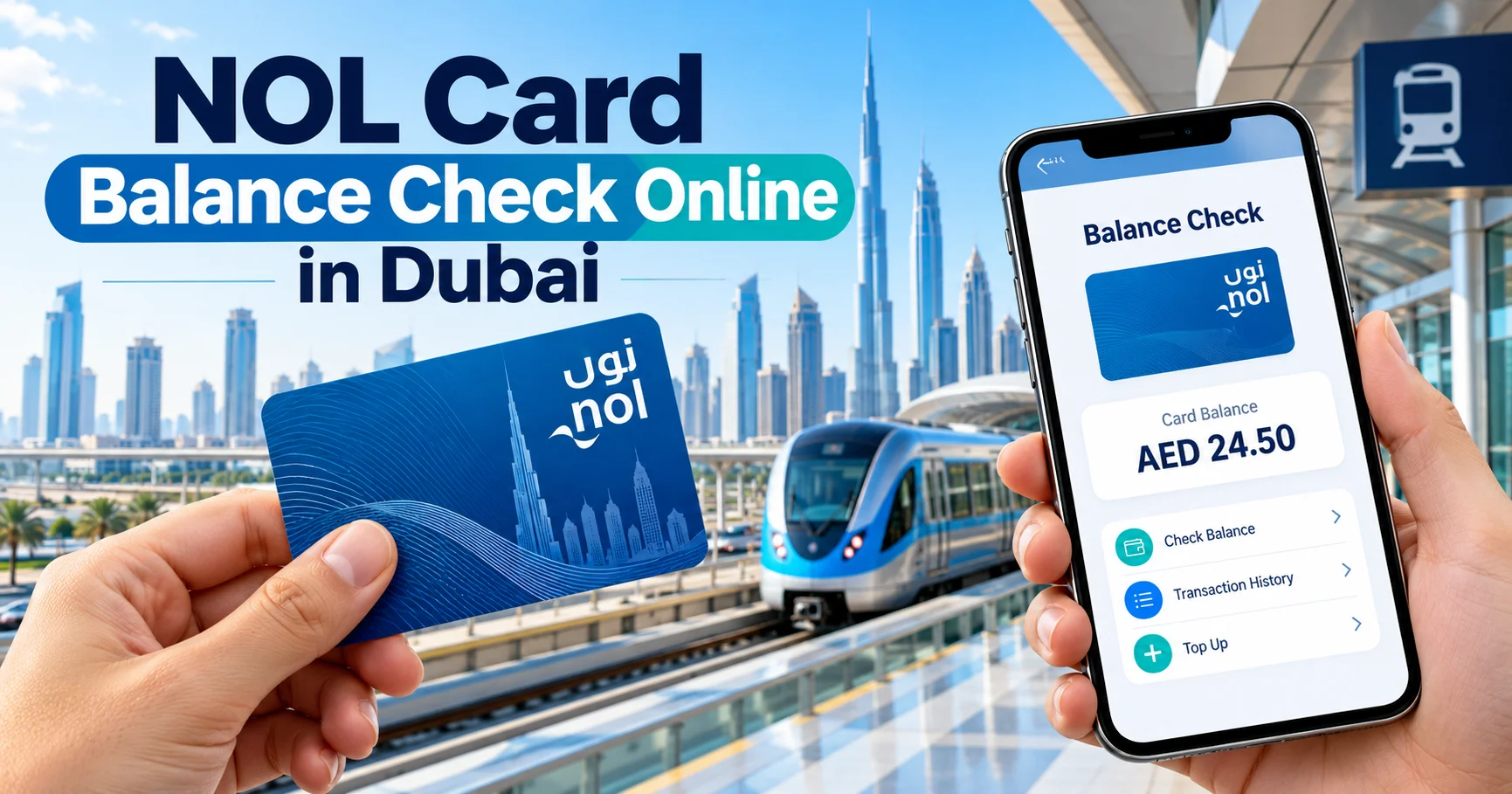
NOL Card Balance Check Online in Dubai: RTA Guide 2026
You can check your nol card balance online through Dubai’s Roads and Transport Authority (RTA) website using the 10-digit nol tag ID printed on your card. The official service lets you check your remaining travel credit without visiting a Metro station or downloading an application.
If you prefer using your phone, the RTA’s nol Pay app offers another option. You can also check your balance at ticket vending machines in Dubai Metro stations.
How to Check Nol Card Balance Online Through RTA
The easiest method is to use the official RTA balance enquiry service. All you need is your nol card and an internet connection.
Follow these steps:
- Open the official RTA nol balance check page.
- Find the section labelled Check nol Balance.
- Turn your nol card over and locate the 10-digit tag ID.
- Enter the number in the nol tag ID field.
- Click Search.
- Review the card information displayed, including your available balance.
The online enquiry can also show pending credit and card expiry information. You generally do not need an RTA account or UAE Pass login for a basic balance check.
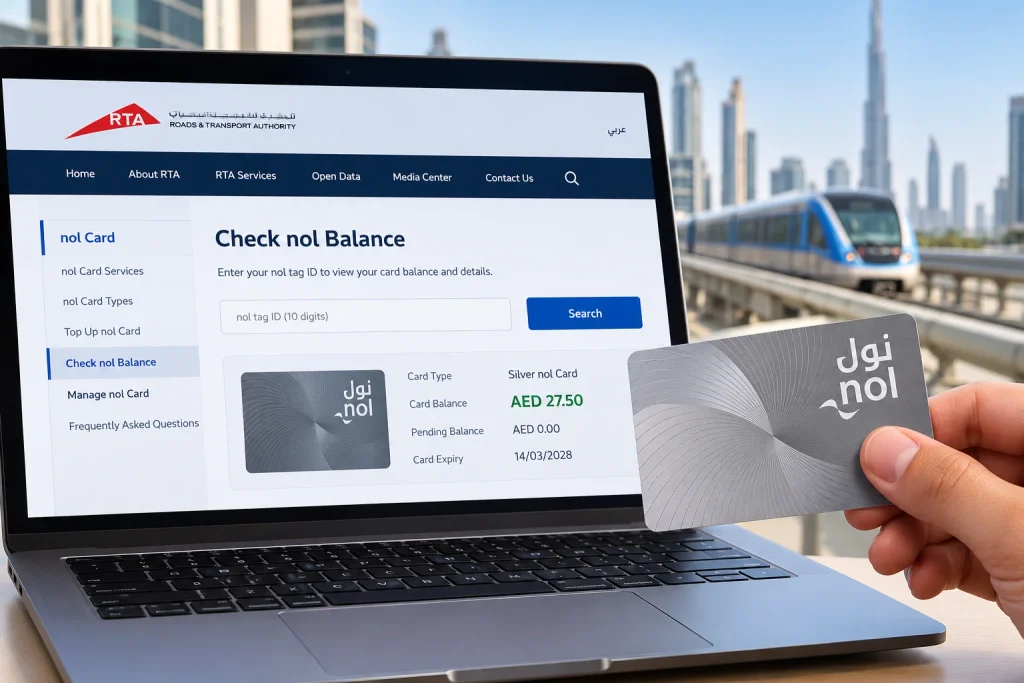
This method works on desktop computers, laptops and mobile browsers, making it convenient for people who want to check their travel credit before leaving home.
Where to Find Your nol Card Tag ID
Your nol tag ID is the number used to identify your card when checking its balance online.
For a standard physical Silver, Gold or Blue card, look for the 10-digit number printed on the back. It is usually located near the barcode.
Enter the number exactly as printed, including any leading zeros. Avoid confusing the tag ID with other serial numbers or identification details appearing on the card.
If the number is faded or unreadable, try scanning the physical card through the nol Pay app on a compatible NFC-enabled smartphone. An RTA ticket office can also help you check the card.
Check Your nol Balance Using the nol Pay App
The official nol Pay application is useful if you regularly use Dubai’s public transport system. Besides checking your balance, the app supports card top-ups, travel passes and other card management services.
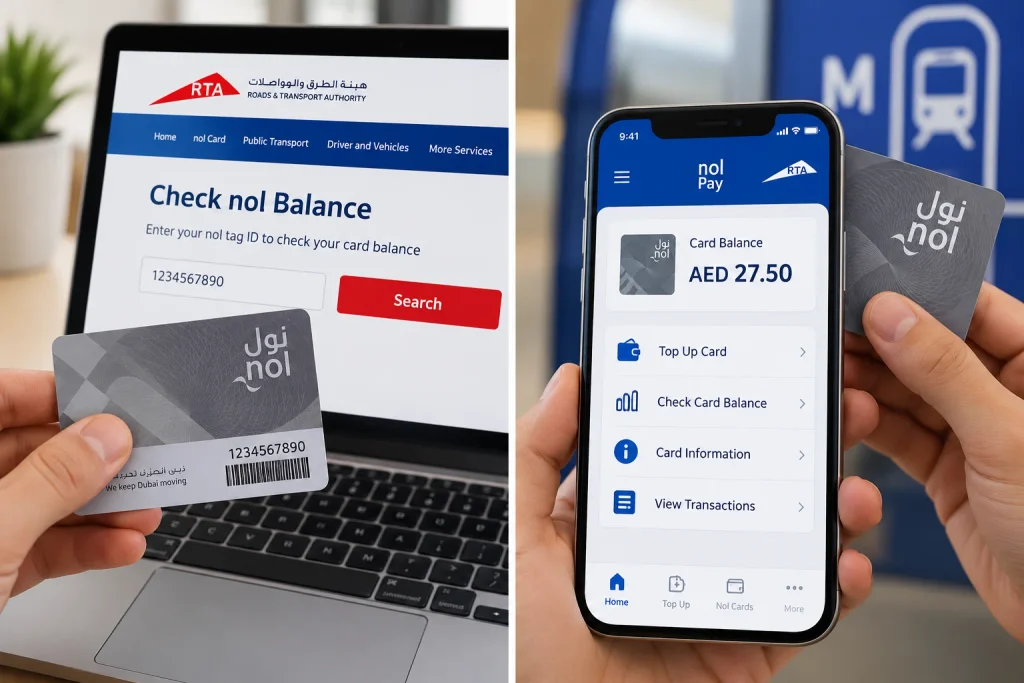
The app is available for Android and iPhone.
Steps to check your balance on mobile
- Install the official nol Pay app published by the Roads and Transport Authority.
- Open the app and complete the required login or guest access process.
- Select the option to check your card information.
- Make sure NFC is enabled on your phone if required.
- Hold your physical nol card against the phone’s NFC reading area.
- Keep it in place until the app successfully reads the card.
After scanning, the app can display the card’s available balance and other relevant details.
An NFC-compatible device is needed to read a physical card directly. If your phone does not support NFC, use the RTA website with your tag ID instead.
The app is particularly helpful if you want to recharge your card and check whether the credit has been activated.
How to Check nol Card Balance Without Internet
You do not need a smartphone or internet connection to find out how much money remains on your travel card.
Dubai Metro stations have ticket vending machines that allow passengers to check card information.
At a station, locate an RTA ticket vending machine, present your card as instructed on the screen and select the appropriate balance or card information option. The machine will display the available credit.
You can also request assistance from an RTA ticket office at a Metro station.
If you are already travelling, the Metro gate or bus card reader may display your remaining balance after a successful tap. However, checking at a vending machine before starting your journey is more useful if you are unsure whether you have enough credit to travel.
Which Balance Check Method Should You Use?
| Method | What you need | Suitable for |
|---|---|---|
| RTA website | Internet and nol tag ID | Checking from home or work |
| nol Pay app | Compatible smartphone and card | Checking balance and topping up |
| Metro ticket machine | Physical nol card | Checking without internet |
| Metro ticket office | Physical nol card | Assistance with card enquiries |
| Metro gate or bus reader | Valid card during travel | Viewing remaining credit after tapping |
For an occasional check, the RTA website is usually the most straightforward option. Regular commuters may find the mobile application more useful because it provides additional card management features.
What Is the Minimum nol Card Balance Required in Dubai?
RTA generally requires a minimum available balance of AED 7.50 for standard nol card travel through Metro gates. Its September 2026 service guidance specifies AED 3.50 for eligible Blue Personal cards when activating pending balance through Metro gates.
The amount required for a journey can depend on the transport service, fare zones, card category and passenger eligibility.
It is sensible to keep more than the minimum amount on your card, particularly when travelling across several zones or using Gold Class.
A balance check tells you how much credit is available, but it does not guarantee that the amount will cover every planned journey.
How to Recharge Your nol Card After Checking the Balance
If your card does not have sufficient credit, you can add money through official RTA channels.
The RTA nol top-up service provides information about supported payment channels and activation requirements.
For an online recharge:
- Visit the official RTA top-up service or open nol Pay.
- Select the option to recharge your card.
- Provide your card information or scan the card, depending on the channel.
- Choose the recharge amount.
- Complete the payment using an available payment method.
- Follow any instructions to activate the credit on your physical card.
Minimum recharge amounts in 2026
The amount you can add depends on which RTA channel you use.
| Top-up channel | Minimum recharge |
|---|---|
| RTA website | AED 5 |
| nol Pay app | AED 5 |
| S’hail app | AED 5 |
| RTA Dubai app | AED 30 |
| Metro ticket vending machine | AED 20 |
| Metro ticket office machine | AED 50 |
| DubaiNow | AED 20 |
These are minimum recharge amounts, not the fares charged for travelling. RTA updated these figures on 29 September 2026, and the amounts may change.
Why Is My nol Card Balance Not Updated After Recharge?
A successful online payment does not always mean that the added money is immediately available on your physical card.
Some recharge methods create a pending top-up. The amount must be transferred to the card through an approved activation device before it becomes available for travel.
RTA explains that its ticketing system distributes recharge information to supported devices, including Metro gates and NFC-enabled equipment.
If the amount has not appeared, check whether the recharge is still pending and follow the activation instructions provided by RTA.
You may be able to activate the credit through the nol Pay app using NFC, a supported ticket machine or a Metro gate when the card meets the required entry balance.
Do not rely on a bus validator to activate a pending online top-up. RTA specifically states that bus validators cannot activate pending credit from channels requiring activation.
For RTA website top-ups that have not been activated, check the payment notification sent to your email. RTA states that pending amounts must be activated through an approved channel within 180 days.
Avoid making another payment immediately when the first recharge does not appear. Confirm its status first to prevent an unnecessary duplicate top-up.
Common nol Balance Check Problems and Solutions
The RTA website does not recognise my tag ID
Check that you entered the correct 10-digit number. Verify that no digits are missing and that you have not confused the letter O with the number 0.
If the issue continues, try the official app or an RTA ticket machine.
My balance appears lower than expected
Recent travel transactions or card usage may not yet be reflected in an online enquiry. Check the available credit directly on the physical card through a supported NFC reader or station machine.
If the difference remains unexplained, contact RTA for assistance.
The nol Pay app cannot scan my card
Ensure that NFC is supported and enabled on your device. Remove any phone case that may interfere with scanning and slowly reposition the card against the phone’s NFC antenna.
Some devices have their NFC reading area near the top, while others place it around the centre.
The card has money, but the Metro gate will not open
A positive balance does not necessarily mean the card has enough credit for entry.
Check whether your available balance meets the applicable travel requirement. Also consider whether the card has expired, is blocked or has another problem.
If the issue cannot be resolved at a machine, speak to station staff before attempting your journey again.
Can You Check nol Card Balance by SMS?
Some online guides describe an SMS balance checking service, but a current official RTA SMS procedure for this enquiry could not be confirmed.
Rather than relying on an unverified number or message format, use the official RTA website, nol Pay application or a ticket vending machine.
These are established methods supported by RTA’s published service information.
Is It Safe to Check Your nol Balance on Third-Party Websites?
Websites offering a nol balance checker are not necessarily connected to Dubai’s RTA.
Some may provide instructions or redirect visitors to the official service, but that does not make them authorised to retrieve card information independently.
Before entering a tag ID or making a recharge payment, confirm that you are using an official RTA website or application.
In particular, avoid providing payment card information, UAE Pass credentials or one-time passwords to unofficial balance enquiry websites.
A legitimate basic card balance check through the RTA website does not require you to submit bank card details.
Frequently Asked Questions
Can I check my nol card balance using only the card number?
Yes. The RTA website provides a balance enquiry using the 10-digit nol tag ID printed on your card. You do not normally need to register an account.
Is the nol card balance check free?
Yes. Checking your card’s balance through the official RTA online enquiry or at an RTA ticket machine does not require a separate balance enquiry payment.
Can I check a nol card balance without the physical card?
If you have previously recorded the tag ID, you can use the RTA website without holding the physical card. Otherwise, you may need the card to identify its number or scan it.
Can tourists check their nol card balance online?
Yes. Tourists using eligible nol cards can check their available credit through the RTA website. An Emirates ID is not required for a basic online balance enquiry.
Can I check the balance of a Silver or Gold nol card?
Yes. Both Silver and Gold card holders can use supported RTA balance enquiry channels. Physical cards can also be checked through the nol Pay application on a compatible smartphone.
Can I check my nol balance after every journey?
Yes. You can make another balance enquiry after travelling. Keep in mind that online records may take time to reflect recent transactions, so a direct physical-card reading can be useful when you need to confirm the available credit.
Does an online recharge automatically update my physical nol card?
Not always. Certain online recharge transactions require activation through a supported RTA device. Until the pending credit is activated, the amount may not be available to pay for travel.
What should I do if I lose my nol card?
If your card is registered or personalised, use the official RTA card management service to report the loss and review available replacement or balance recovery options. Recovery rights for anonymous cards can differ, so check the conditions applicable to your specific card.
Check Your Balance Before You Travel
The official RTA website is a practical choice for a quick nol card balance check using your tag ID. The nol Pay app provides an alternative for NFC-enabled smartphones, while Metro station machines remain useful when you do not have internet access.
Check your available credit before travelling, particularly after an online recharge. If the payment is still pending, complete the required activation so the amount is available when you tap your card.