EVG Fine Check UAE 2026: Check and Pay Traffic Fines Online
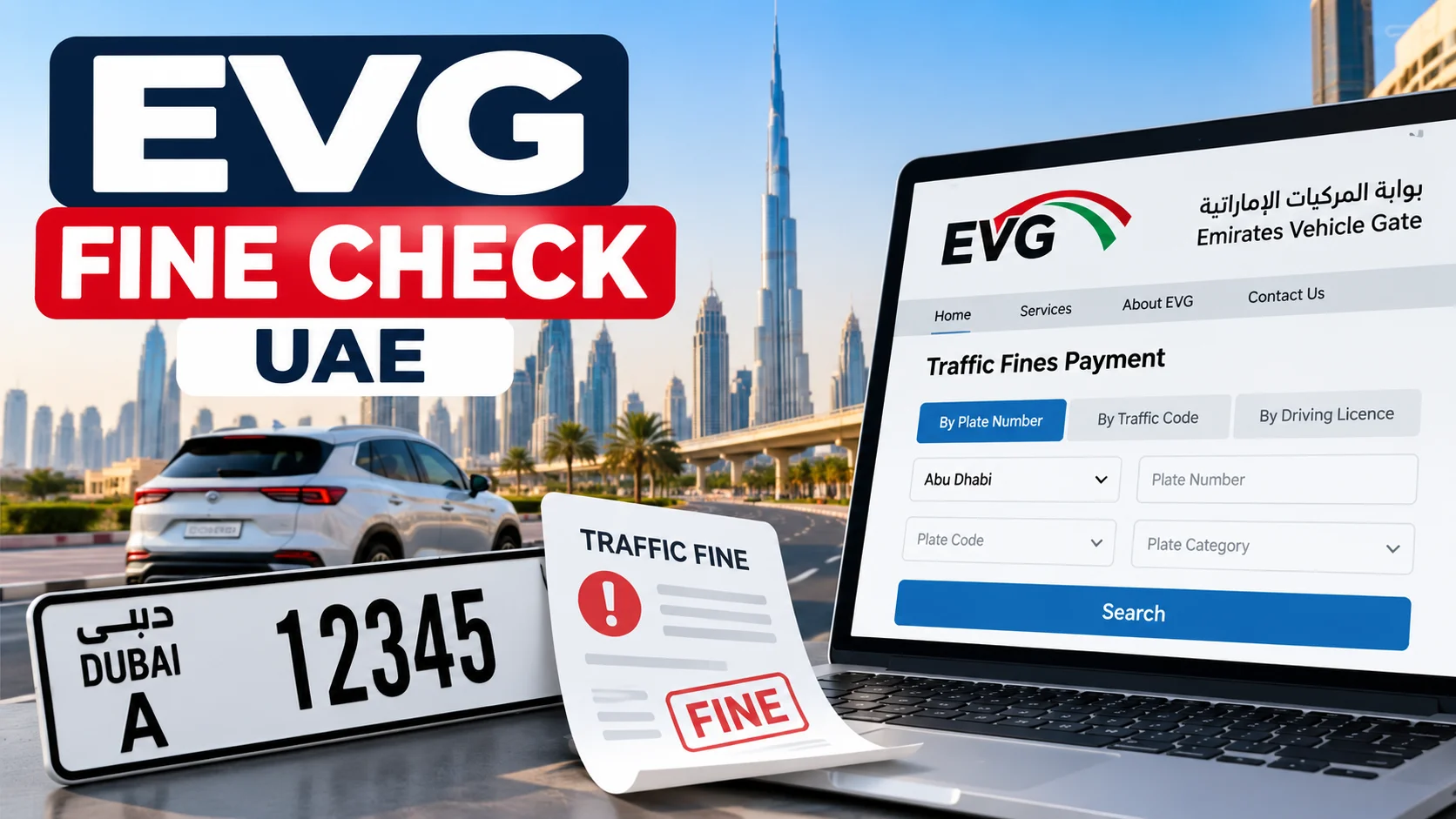
An EVG fine check allows UAE drivers and vehicle owners to find outstanding traffic fines using the official Emirates Vehicle Gate (EVG) portal. You can search for violations using your vehicle plate number, traffic code number, or driving licence details, then pay eligible fines online.
To get started, visit the official EVG traffic fines payment page, select your preferred search method, enter the required information, and view the fines recorded against your vehicle or traffic profile.
EVG is useful for motorists in Abu Dhabi, Dubai, Sharjah, Ajman, and other emirates. However, the availability of individual violations and payment options depends on the authority that issued the fine.
How to Check EVG Traffic Fines Online
You can check traffic violations through the Emirates Vehicle Gate website without visiting a police station or traffic department.
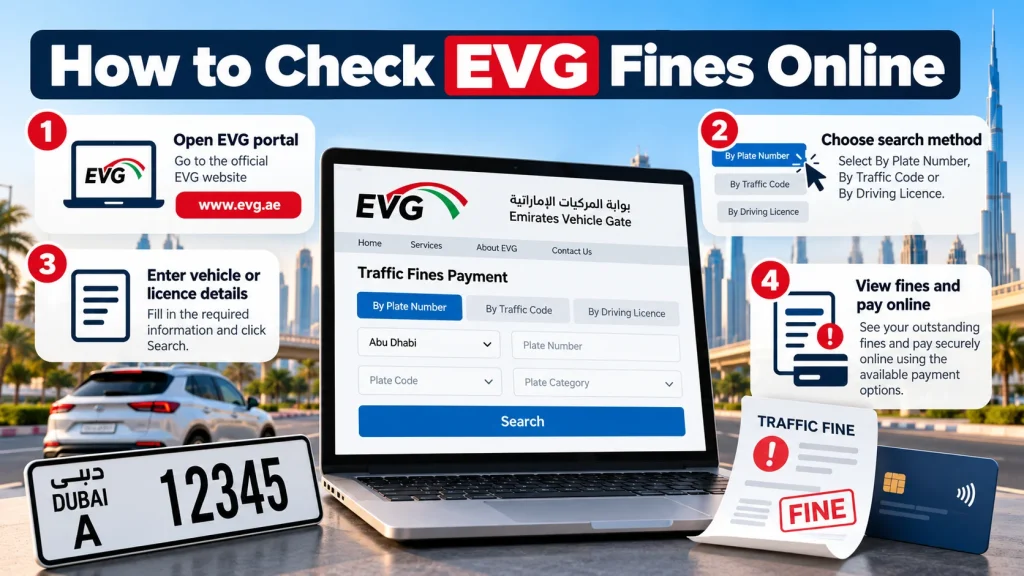
Follow these steps:
- Open the official Emirates Vehicle Gate website.
- Navigate to Services, then choose the vehicle-related services section.
- Select Pay Traffic Fines.
- Choose the available search option, such as traffic code, plate number, or licence number.
- Enter the requested details carefully.
- Click Search to retrieve the available fine records.
- Review the violations, outstanding amounts, and payment options displayed.
If the service requests authentication, sign in using the available login method before proceeding.
The results may include the violation date, issuing authority, fine amount, and applicable black points. The information shown depends on the particular violation record.
EVG Fine Check by Plate Number
Checking fines by plate number is particularly useful when you want to find violations associated with one specific vehicle.
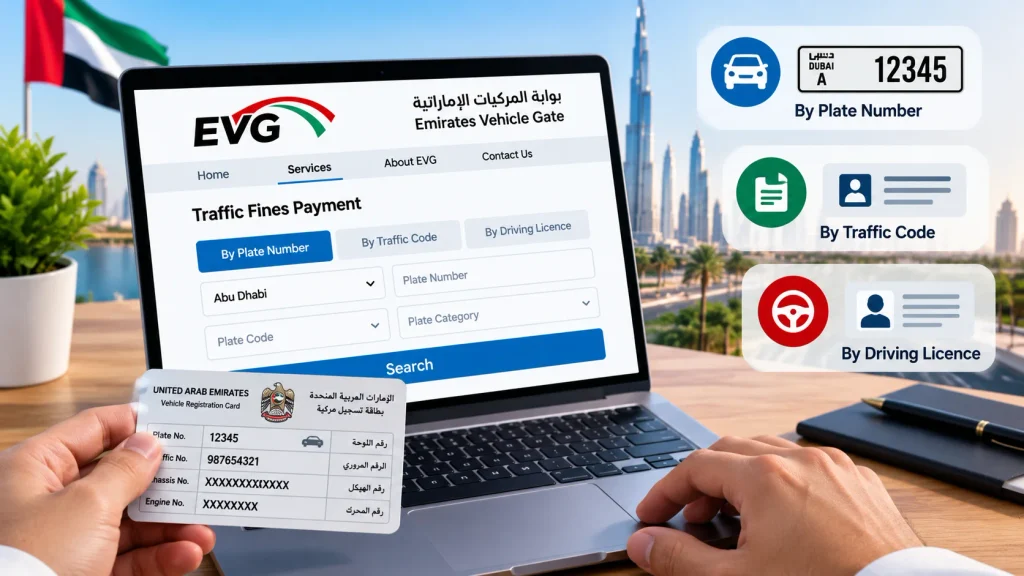
Steps to Check Fines Using Your Vehicle Plate
- Visit the EVG fine enquiry and payment page.
- Select the By Plate Number search option.
- Enter your vehicle plate number.
- Select the plate source or registration emirate.
- Provide the plate category, code, colour, or type if requested.
- Enter any other required information.
- Select Search to view the results.
Make sure the plate details match your vehicle registration card, also known as the Mulkiya.
A Dubai-registered vehicle, for example, needs the correct Dubai plate information. Entering the number without its corresponding plate code or category may prevent the system from finding the correct record.
Can You Check EVG Fines with Just a Plate Number?
The vehicle plate number is an important search detail, but it may not be sufficient by itself.
The enquiry service can require additional information, including the registration emirate, plate category, plate code, or traffic number.
Keeping your vehicle registration card nearby makes the process easier.
EVG Fine Check by Traffic Code Number
A traffic code number, also called a traffic file number or unified traffic number, identifies your traffic profile within the UAE traffic system.
Searching by this number can help you find fines associated with your traffic record rather than searching for one vehicle at a time.
How to Check Fines by Traffic Code
- Open the official EVG traffic fines service.
- Choose By Traffic Code.
- Enter your traffic code number in the designated field.
- Complete any required security verification or login.
- Click Search.
- Review the fines associated with your traffic profile.
The search may return violations linked to your traffic number, subject to the records available through EVG.
Where Can You Find Your Traffic Code Number?
Your unified traffic number is generally printed on your vehicle registration card or UAE driving licence.
It is different from your Emirates ID number.
If you cannot locate it, check the traffic information in your official police or transport authority account.
EVG Fine Check by Driving Licence Number
Some traffic violations are linked directly to the driver’s licence rather than only to the vehicle registration.
For this reason, checking licence-linked fines separately can be useful.
To search:
- Go to the EVG traffic fines payment service.
- Select the driving licence search option, where available.
- Enter your licence number and any additional information requested.
- Complete the verification process.
- Search for recorded violations.
- Review any fines and related information.
This method is particularly relevant when checking violations associated with your driving record.
Note: A vehicle plate search and a driving licence search may not return identical results. The records depend on how the issuing authority registered each violation.
How to Pay EVG Traffic Fines Online
Once you have checked your fines, you can proceed to payment if the selected violations are eligible for online settlement.
Step-by-Step EVG Fine Payment
- Visit the official EVG payment service.
- Search for your outstanding traffic violations.
- Review the listed fines and their amounts.
- Select the fines you want to pay, subject to the available options.
- Continue to the secure payment page.
- Enter the supported card payment details.
- Review the total amount and confirm your payment.
- Save the payment confirmation or receipt.
Before submitting payment, confirm that the violation belongs to you and that the displayed total is correct.
If the transaction is interrupted, check its status before attempting another payment. This helps avoid paying the same fine twice.
What Happens After Paying an EVG Fine?
After a successful transaction, the system should provide a payment confirmation or receipt.
Keep this record until the relevant fine is shown as settled.
A successful payment does not necessarily mean that associated black points, impoundment requirements, or other administrative measures have been cleared. These may involve separate procedures.
Other Official Ways to Check UAE Traffic Fines
If EVG is unavailable or cannot display a particular violation, you can use the relevant government traffic service.
| Official platform | Main use | Website |
|---|---|---|
| Emirates Vehicle Gate | Vehicle-related traffic fine enquiry and payment | EVG |
| Ministry of Interior | Traffic fine enquiries and payments through MOI services | MOI UAE |
| Dubai Police | Checking and paying Dubai traffic violations | Dubai Police |
| Dubai RTA | Dubai traffic fine enquiry and payment | RTA Fines Service |
| Abu Dhabi Police | Abu Dhabi traffic records and fine services | Abu Dhabi Police |
| TAMM | Abu Dhabi government services, including traffic fine payments | TAMM |
Checking Fines Through the MOI Website
The UAE Ministry of Interior provides an alternative official channel for traffic fine enquiries and payments.
- Visit the MOI website.
- Open the electronic services section.
- Find Traffic Fines Payment.
- Sign in if the service requires authentication.
- Select an available search method, such as traffic profile number or plate information.
- Enter the required details and complete the security check.
- Search for fines and proceed with payment if necessary.
The Ministry of Interior’s payment instructions also provide search options based on the issuing emirate and fine number.
Checking Dubai Traffic Fines Through RTA
Drivers dealing with Dubai traffic violations can use the official Roads and Transport Authority enquiry page.
Visit the RTA Fines Inquiry and Payment service.
The service provides search options that include:
- Vehicle plate details
- Driving licence number
- Fine number
- Traffic code number
Enter the information required for your selected search, review the results, and follow the payment procedure if you have outstanding fines.
Checking Abu Dhabi Traffic Fines
Abu Dhabi motorists can access traffic-related services through Abu Dhabi Police and TAMM.
The Abu Dhabi Police system supports enquiries involving traffic profiles, vehicles, driving licences, and fines.
The Abu Dhabi Police traffic services portal is a useful starting point.
For eligible payments, TAMM provides an official transaction channel that supports UAE PASS authentication.
What Details Do You Need for an EVG Fine Check?
The required information depends on the search method.
| Search method | Information to prepare |
|---|---|
| Plate number | Plate number, registration emirate, and relevant plate details |
| Traffic code | Unified traffic or traffic file number |
| Driving licence | Driving licence number and any requested licence information |
| Online payment | Fine details and a supported payment card |
| Account-based services | Login credentials or supported identity verification |
You generally do not need to upload documents simply to perform a basic traffic fine search unless the specific service requests them.
For payment, additional authentication or verification may be required.
Why Is My Traffic Fine Not Showing on EVG?
A fine missing from the search results does not always mean there are no outstanding violations.
Several situations can explain why a record is unavailable.
Incorrect Vehicle Information
A small error in the number, plate category, or registration emirate can affect your search.
Compare the entered information with your Mulkiya and try again.
Fine Recorded by a Different Authority
Not every violation is necessarily available through every traffic service.
If a fine does not appear on EVG, check the official portal of the police or transport authority responsible for issuing it.
Recently Issued Violation
A newly recorded violation may not appear immediately across all enquiry channels.
If you received a valid fine notification but cannot find the record, check again later or contact the issuing authority.
Fine Already Paid
If you recently settled the amount, the current enquiry may no longer show it as outstanding.
Check your payment receipt or transaction history before making another payment.
A Fine Requires Additional Action
Some violations may involve black points, impoundment, or other requirements that prevent ordinary online settlement.
Follow the instructions displayed by the issuing authority rather than repeatedly attempting payment.
EVG Traffic Fines and Black Points
Traffic fines and black points are related, but they are not the same.
A traffic fine is a monetary penalty for violating road rules. Black points are recorded against a driver’s traffic record for offences that carry this additional consequence.
Not every traffic violation results in black points.
The number of points depends on the specific offence and applicable UAE traffic regulations.
Paying the monetary penalty does not automatically remove black points. Certain violations may also involve vehicle impoundment or other enforcement measures.
If your enquiry shows black points or restrictions, use the appropriate police or traffic authority service to understand what action is required.
Can You Renew Vehicle Registration with Unpaid Fines?
Outstanding traffic fines can prevent you from completing vehicle registration renewal.
Dubai’s official government guidance states that traffic fines must be paid before renewing the vehicle ownership card or driving licence.
If your registration renewal is approaching, check your traffic record early enough to address any outstanding violations.
Clearing monetary penalties is only one part of the renewal process. Your vehicle may also need valid insurance and a technical inspection, depending on its eligibility and the applicable authority’s rules.
Do not assume that paying a fine automatically renews your Mulkiya.
How to Dispute an Incorrect Traffic Fine
If you believe a fine was issued incorrectly, review its details before paying.
Check the violation date, location, vehicle plate information, and issuing authority.
The next step is to contact the authority responsible for the penalty.
For example, a Dubai Police traffic violation should be handled through the applicable Dubai Police objection or review process. An Abu Dhabi violation should be referred to the relevant Abu Dhabi authority.
Where an objection service is available, follow its requirements and submit any supporting evidence requested.
EVG fine enquiry and fine objection are different services. Viewing a fine through EVG does not necessarily mean EVG handles appeals against that violation.
Also, submitting an objection does not automatically suspend payment deadlines or other obligations.
How to Avoid Fake EVG Fine Check Websites
Traffic fine searches often require vehicle information, identification details, or payment credentials.
For that reason, verify that you are using a genuine government or authority-operated website.
The official Emirates Vehicle Gate domain is evg.ae.
Avoid entering Emirates ID details, payment information, or one-time passwords on websites claiming to be official EVG portals without clear verification.
Be especially careful with payment links received through unexpected SMS messages or social media.
A third-party website may publish instructions about traffic fines, but that does not make it an authorized government payment service.
When in doubt, open the official authority website directly and navigate to the service from there.
Frequently Asked Questions
Is EVG fine checking free?
Checking available traffic fine records is generally an enquiry service that does not require paying the underlying penalty first. However, payment transactions may involve applicable charges shown by the service. Review the final amount before confirming.
Can I check EVG fines without logging in?
The ability to search without signing in depends on the service and search method currently available. Some enquiries may be accessible directly, while others require an account or identity verification.
Can I check all UAE traffic fines on EVG?
EVG provides a centralized route to vehicle-related traffic services, but you should not assume that every violation issued across the UAE will always appear there. If a fine is missing, check the relevant emirate’s official police or transport portal.
Can I check EVG fines using my Emirates ID?
An Emirates ID may be used for identification or authentication in certain official traffic services. However, the standard EVG fine search options focus on information such as the traffic code, vehicle plate, and driving licence. Do not assume an Emirates ID number alone is sufficient.
Can I pay someone else’s traffic fine through EVG?
An eligible fine may be payable using the permitted vehicle or traffic record information, subject to the portal’s verification requirements. Some transactions require authentication or action by the person associated with the traffic record.
How can I confirm that my traffic fine was paid?
Check the payment confirmation, transaction reference, or receipt issued by the service. You can also search the relevant traffic record again to see whether the outstanding amount has been cleared. Contact the payment authority if your payment was deducted but the record remains unresolved.
Does paying a traffic fine remove black points?
No. Payment of the monetary penalty does not automatically erase black points. Black points and other measures are governed by separate traffic rules and administrative procedures.
Which website should I use if EVG is not working?
Use the UAE Ministry of Interior website or the relevant emirate’s official traffic service. Dubai motorists can use Dubai Police or RTA, while Abu Dhabi motorists can access Abu Dhabi Police and TAMM services.
Final Advice Before Paying Your Traffic Fines
Use the official EVG portal to search by traffic code, plate number, or driving licence details, and carefully review each violation before proceeding to payment.
If your fine is missing, restricted, or disputed, refer to the authority that issued it. Keep your payment receipt and confirm the outstanding balance has been updated, particularly when preparing for vehicle registration or driving licence renewal.